


U

Not Logged In

Education is not to be finished

You have been logged out. Please log in to continue.

Notifications

No notifications yet

We'll notify you when something new arrives

Pygame Level 1

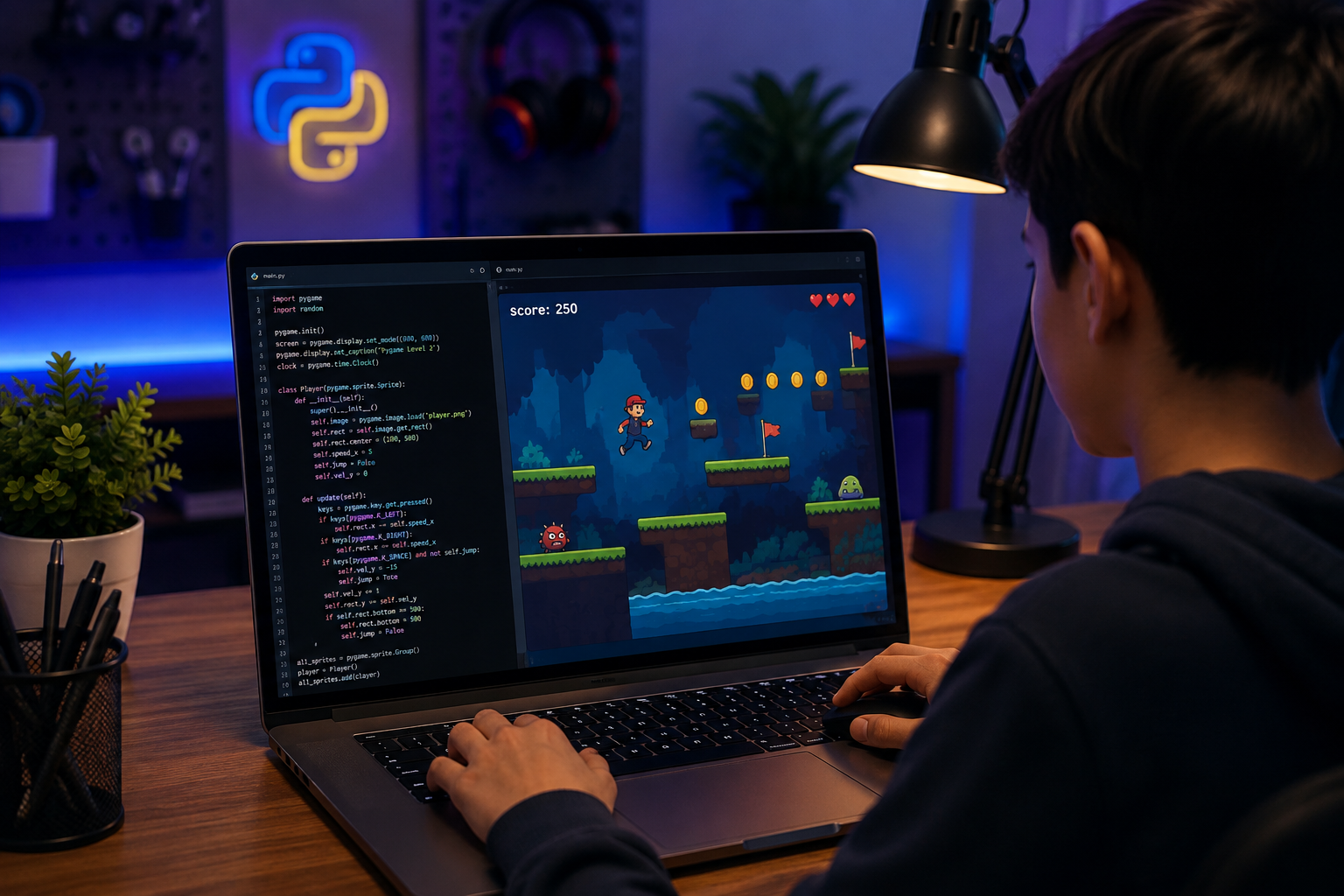
Pygame Level 1 is where Python Level 2's animation and OOP skills turn into real, playable games. Students use the Pygame library to build four complete games from scratch: Pong, Snake, a flappy-bird-style flyer, and a Breakout-style brick-breaker; learning the game loop, collision detection, keyboard/mouse input, and object management along the way. By the end, students will understand how a real game is structured from the first blank window to a finished, repayable build.

Google
4.9 star reviewsout of total 93
Pygame Level 1

4 Months

1 Hour Class

Medium

Online via Zoom

Why take this course?

In Python Level 2, students learned to think in objects: writing classes, animating shapes, and managing lists of moving elements on screen. Pygame Level 1 takes that exact foundation and points it at something students have wanted since day one: a real, playable game.

Students will use the Pygame library to build a paddle that returns a serve, a snake that grows every time it eats, a bird that flaps against gravity, and a ball that shatters a wall of bricks. Along the way they'll learn the game loop that powers every real-time program, how to detect collisions between moving objects, how to read keyboard and mouse input, and how to manage dozens of objects: bullets, bricks, body segments at once using lists. By the end, students will have four finished, shareable games and a solid foundation for the more advanced systems in Pygame Level 2.
Prerequisites:

Course Outline

4 Month Plan

Learning Outcomes

  • Build and run a complete game using Pygame's game loop, structuring input, update, and draw logic every frame.
  • Detect and resolve collisions between moving objects using pygame.Rect and colliderect(), as seen in Pong and Bricks & Blasters.
  • Represent a growing or changing object as a list, and manage many list-based objects at once, as demonstrated in Snake and Bricks & Blasters.
  • Apply gravity, velocity, and acceleration to create natural, physics-driven motion, as shown in Flap & Fly.
  • Use timers, randomness, and simple AI to build procedurally generated and reactive game elements.
  • Be prepared for object-oriented, systems-level game design; refactoring into Sprite classes, building enemy AI, and adding full game shells in Pygame Level 2.

Schedule

Up Coming

New batches start every week!

We're currently finalizing the schedule. Check back soon or contact us to reserve your spot.

Ongoing

No ongoing batches at the moment

Check back soon or explore upcoming batches above.

Book a free session

Teachers

Projects

Our Young Innovators in Action

Every project tells a story of creativity, curiosity, and critical thinking. Here are some of the incredible works built by our students

Project Thumbnail
Scratch
Student Avatar

Ali Ebrahim khan

3D MAZE

View Profile
Project Thumbnail
Scratch
Student Avatar

Maaz Uppal

Ping pong game

View Profile
Project Thumbnail
Student Avatar

Muhammad Ibraheem Ali

11 years old

Pirate adventure game

View Profile

Why People Choose the STEM Educators

Find out if this course is suitable for your childSchedule your pre-assessment for free!
Book a free session

Think your kid is ready to take the course!
Enroll now and get started

monitorcode

Frequently Asked Questions

To enroll in any of our programming courses, your child must first attend a STEM Explorer Session. This helps us understand your child’s learning profile and ensures they are placed in a course that matches their skills and interests. After the session, we will share available time slots and course details and guide you through the next steps for enrollment.

Book a 30-minute STEM Explorer Session to find out the most suitable course for your child.

Learning to code helps build essential 21st-century skills such as critical thinking, problem-solving, and creativity. It fosters logical reasoning, boosts confidence in using technology, and prepares children for a future increasingly shaped by digital tools.

While we highly encourage punctuality and regular attendance, we understand that emergencies can happen. In such a case, parents must inform the instructor before the class and request a recording. In this way, the instructor can arrange a recording if informed in advance, as we do not usually record classes.